
Quick answer: Most Atlassian Data Center-to-Cloud migrations in 2026 still run on the 2019 playbook. A tool copies your data across, a weekend cutover flips the switch, and everything you accumulated over years of Data Center life comes with it: dead workflows, unused apps, configuration debt, the lot. It still looks like 2019 because the destination changed but the delivery model did not. Contextual Delivery treats the move as a transformation rather than a transfer: automated discovery surfaces what you actually use, workflows get rebuilt for how teams work now, and Platform Syncs replace the big-bang cutover with a phased, reversible transition. Trundl runs this as Rapid Deploy inside the Atlassian ecosystem.
Earlier in this series we named the category, Contextual Delivery, and explained why enterprise rollouts still take six to twelve months. This piece is about the single migration most Atlassian customers are staring down right now, and why the old way of doing it is about to get expensive.
The clock stopped being hypothetical
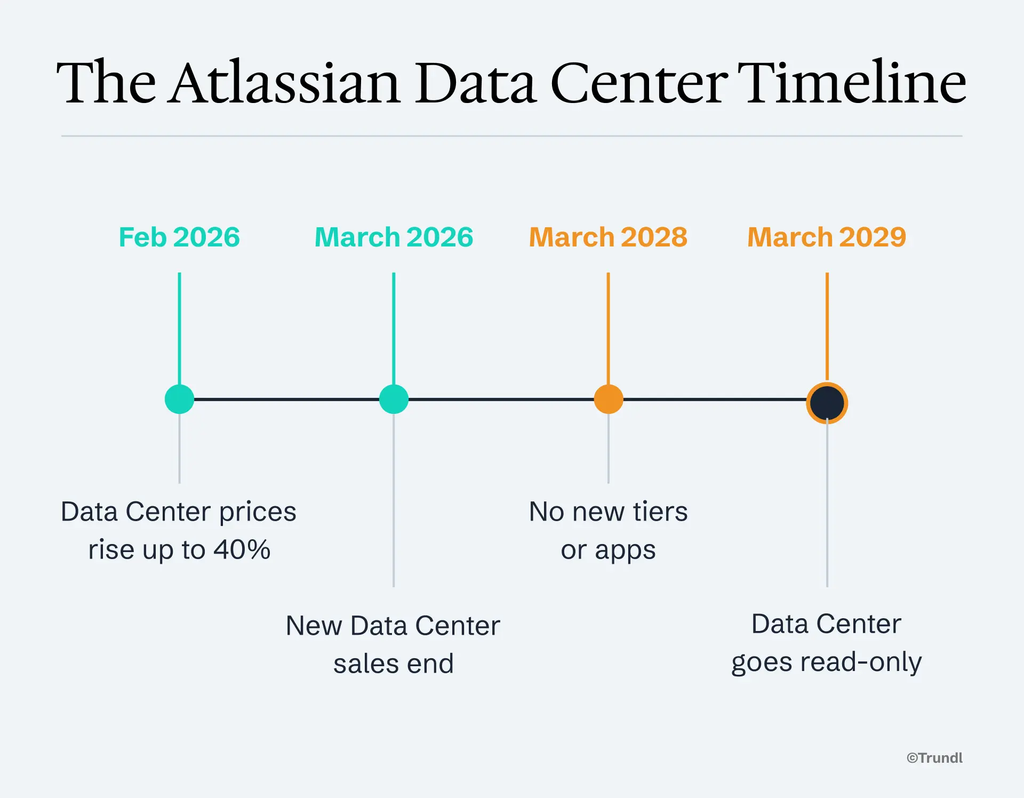
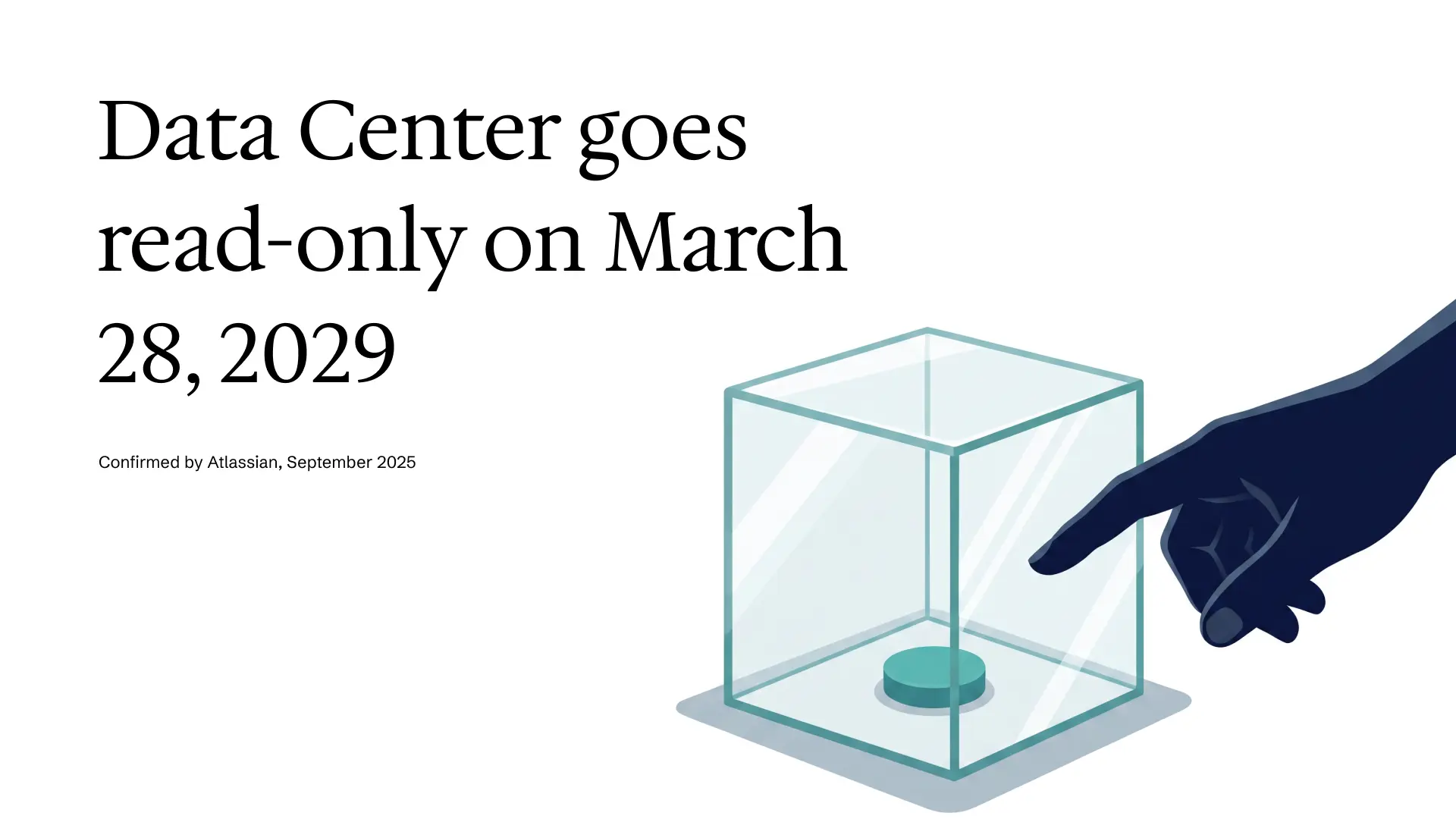
For years, “migrate to Cloud eventually” was a line item that could always slip a quarter. That option is gone. In September 2025 Atlassian confirmed that Data Center reaches end of life on March 28, 2029, at which point instances go read-only. You can look, but create, edit, and workflow actions stop. New Data Center sales to new customers already ended in March 2026, and after March 2028 existing customers can no longer expand user tiers or add Marketplace apps to their Data Center estate. Server customers have seen this movie: support for it ended in February 2024.
Data Center reaches end of life on March 28, 2029.
Confirmed by Atlassian, September 2025
The pressure isn’t only the deadline. A Data Center price increase landed in February 2026, roughly 15% across Jira, Confluence, and Jira Service Management, with legacy “Advantage” pricing rising as steeply as 40% as it realigned to list. So the platform you’re being encouraged to leave is getting more expensive to stay on, on a clock that ends in read-only.
Here’s the part that changes the math for a CIO. By independent estimates, a full enterprise migration runs eighteen to twenty-four months of planning, approvals, and execution. Work backward from 2029 and the practical window to begin in earnest closes around mid-2027. The decision that feels like it can wait until next year’s budget cycle mostly can’t.
Why your migration still looks like 2019
Put the deadline aside for a moment, because the timing isn’t the real problem. The real problem is what most teams are about to do with the time they have.
The default migration is a lift-and-shift. A migration tool reads your Data Center instance and reproduces it in Cloud: same projects, same schemes, same workflows, same everything. It’s fast to describe and reassuring to approve, and it quietly guarantees that the environment you spend eighteen months moving is the same environment you’ve spent a decade complaining about. Every abandoned workflow, every custom field nobody remembers creating, every app installed for a one-time need in 2020 and never removed: all of it makes the trip. You pay to carry it, and then you pay again in per-user Cloud pricing to keep it.
This is the same gap we described earlier in the series, sharpened. A migration tool moves data; it has no view of why any of it exists or whether it should. So the hard parts land on people: macros that don’t have a Cloud equivalent, thousands of pages that need manual rework, Marketplace apps that have to be re-licensed or replaced. None of that is discovery. It’s archaeology, done by hand, under a deadline.
The 2019 playbook wasn’t wrong for 2019. It’s wrong now because the tools to do better finally exist, and the cost of not using them has a date on it.
The real cost is the mess you’re moving
Migration budgets almost always get approved on the wrong number. Someone compares the Data Center renewal to the Cloud per-user price, and the conversation stops there.
The full bill is larger and mostly hidden. Converting a perpetual-license estate to per-user Cloud tiers tends to raise the annual subscription 20 to 40 percent on its own, by independent estimates, before migration services, before re-subscribing every Marketplace app, before the internal labor the project consumes. Then there’s the dual-running window: few large estates cut over in a single weekend, so most run Data Center and Cloud in parallel for months while content is moved and validated, paying for both platforms at once.
Every one of those costs scales with how much you bring. Re-license 60 apps and you pay for 60 apps, whether or not anyone opens them. Migrate 4,000 pages when 1,200 are live and you’ve paid to move 2,800 pages of debt into a platform that meters usage. The most expensive thing in an Atlassian migration is rarely the license. It’s the decade of accumulated cruft nobody stopped to question before loading it onto the truck.
What a 2026 migration actually looks like
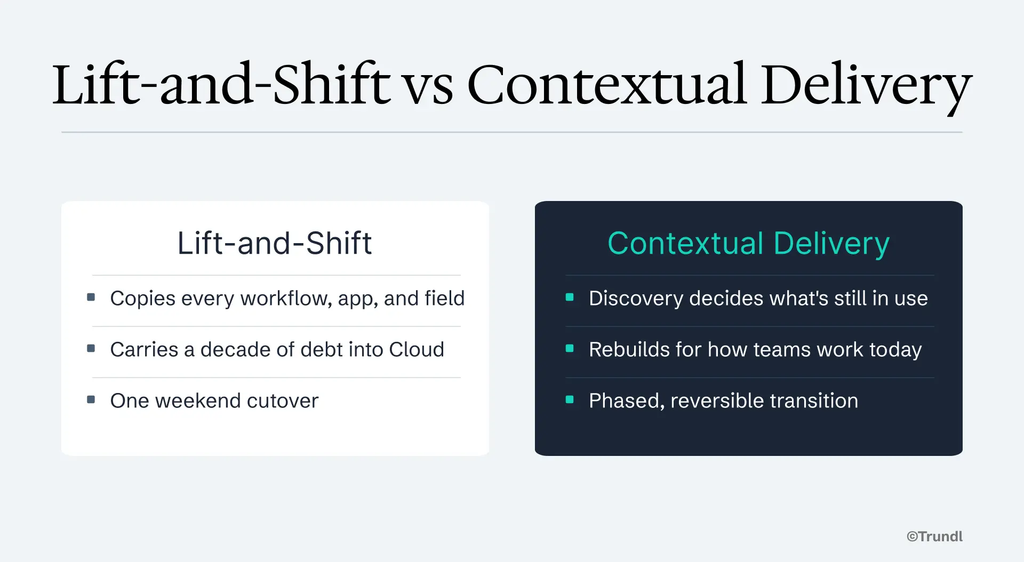
Contextual Delivery changes what you put on the truck in the first place.
It starts with automated discovery reading the live Data Center environment as it actually is, not as the documentation claims, and not as a workshop remembers it. What’s used, what’s dead, what depends on what, which apps still earn their place. An app still running on Atlassian Connect (the older framework Atlassian is retiring, in favor of Forge, as it reaches end of support) is a quiet signal worth reading: you don’t lose access, and the rebuild is the vendor’s job rather than yours, but a vendor that hasn’t moved yet is a fair reason to ask whether that app earns a seat in Cloud before you pay to carry it there. That inventory is the difference between migrating an estate and migrating a decision about the estate.
The dead weight gets named before it gets moved, which is the one moment in a migration where cost actually comes down instead of up.
From there it’s a rebuild, not a copy. Context translation turns how your teams work today into Cloud-native configuration, so you land on workflows designed for 2026 and for Rovo and the Teamwork Graph, rather than a faithful reproduction of a 2019 instance that nobody would design that way if they were starting fresh. And Platform Syncs retire the weekend cutover: Data Center and Cloud stay synchronized through a phased, reversible transition, so teams move when they’re ready and nobody spends a Saturday night praying the big-bang holds.
That’s the same transformation-first approach that took Toshiba’s hardware organization from a 60-page Smartsheet export to a working, tested Jira instance in two sessions, an effort first scoped at 130 hours and four weeks, finished in under ten hours. A different starting platform than Data Center, but the same principle: the migration is where you shed the debt, not where you enshrine it. Trundl’s internal benchmarks put the time-to-value reduction on custom Atlassian deployments at 75% to 95%.
The migration is coming either way. The only real choice is whether you arrive in Cloud with your 2019 mess intact, or with the version of your environment you’d build if you had the chance to start over. Contextual Delivery is how you get the second one without the eighteen-month bill.
The bottom line
Atlassian has put a date on the old world, and the price increases are a reminder that staying put isn’t free either. That part is settled. What isn’t settled, and what actually determines whether this migration is a cost or an upgrade, is the delivery model you choose to run it on.
The 2019 playbook takes your accumulated debt and moves it, slowly and expensively, into a platform that will meter it forever. Contextual Delivery uses the migration as the moment to put it down.
Same deadline, same destination, a very different thing waiting for you on the other side.
Next in the series: What’s the Difference Between an Atlassian Implementation Partner and a Contextual Delivery Platform?